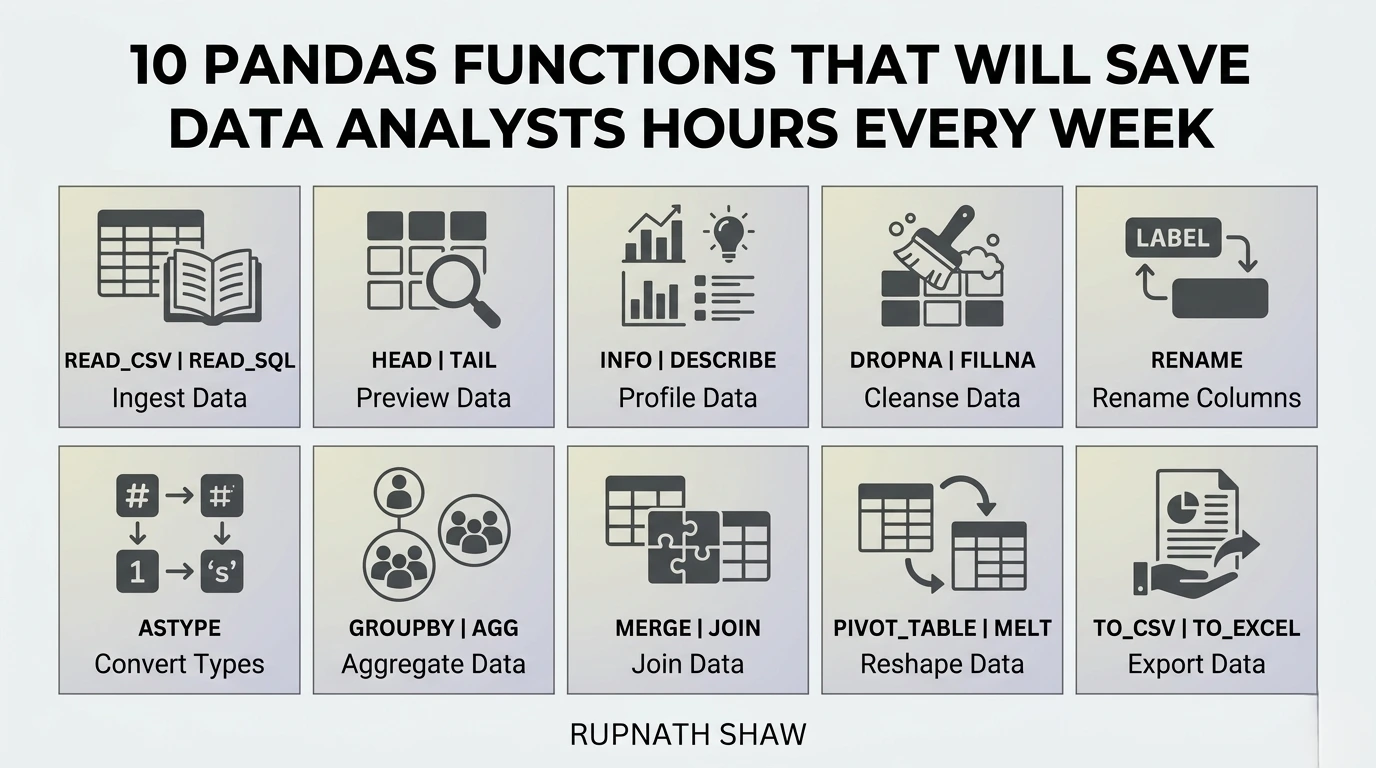
These are not the functions in every tutorial. They are the ones experienced analysts reach for constantly and beginners spend hours trying to solve without them.
Most pandas tutorials teach you read_csv, groupby, merge, and fillna. Those are important. They are also the ones everyone learns in their first month.
The functions in this list are different. These are the ones that separate analysts who struggle with pandas from analysts who are fast with it. Not because they are complex most of them are simple once you know they exist. But because nobody teaches them in beginner courses and most analysts discover them by accident, if at all.
Each one comes with the real-world scenario that makes it necessary, a working code example, and what it replaces. The time it saves is not theoretical. It is the time you currently spend doing the same thing the long way.
- df.query() — Filter rows in plain English instead of chained Boolean conditions
You have a dataframe and you need to filter on three conditions simultaneously. The standard approach is df[(df[‘status’] == ‘active’) & (df[‘revenue’] > 10000) & (df[‘region’] == ‘South’)]. It works. It is also hard to read, easy to get the parentheses wrong, and becomes a mess with five conditions. query() fixes all of this.
# Standard approach — hard to read
result = df[(df['status'] == 'active') & (df['revenue'] > 10000) & (df['region'] == 'South')]
# query() approach — reads like English
result = df.query("status == 'active' and revenue > 10000 and region == 'South'")
# Reference a Python variable inside the query string with @
threshold = 10000
result = df.query('revenue > @threshold')
Key uses:
- Multi-condition filtering that needs to be readable and maintainable
- Dynamic filtering where the threshold or value comes from a variable
- Any filter with three or more conditions — the readability improvement is immediate
- df.assign() — Create multiple new columns in one clean statement without intermediate assignments
The standard way to create a new column is df[‘new_col’] = df[‘col_a’] + df[‘col_b’]. That is fine for one column. When you are creating four derived columns in sequence, you get four separate lines that each reference df, any of which can silently overwrite the wrong thing. assign() creates new columns in a single expression and chains naturally.
# Standard approach — four separate lines, harder to audit
df['revenue_per_unit'] = df['revenue'] / df['units']
df['margin_pct'] = df['profit'] / df['revenue'] * 100
df['is_high_value'] = df['revenue'] > 50000
# assign() approach — one expression, chainable
df = df.assign(
revenue_per_unit = lambda x: x['revenue'] / x['units'],
margin_pct = lambda x: x['profit'] / x['revenue'] * 100,
is_high_value = lambda x: x['revenue'] > 50000
)
Key uses:
- Creating multiple derived columns from existing columns in one step
- Chaining transformations — assign() returns a new dataframe, so .assign().query() chains cleanly
- Keeping transformation logic readable when creating several columns at once
- df.pipe() — Chain your entire cleaning pipeline into a readable sequence of steps
Real data cleaning involves many steps applied in sequence — strip whitespace, rename columns, cast types, drop duplicates, filter out bad rows. Most analysts write these as separate lines modifying df in place. pipe() lets you wrap each step as a function and chain them in order, producing a pipeline that reads as documentation of what the cleaning actually does.
def strip_whitespace(df):
df.columns = df.columns.str.strip()
return df
def standardise_categories(df):
df['category'] = df['category'].str.lower().str.strip()
return df
def remove_test_accounts(df):
return df[~df['email'].str.contains('test|example', na=False)]
# Chain all steps with pipe() — reads as a documented pipeline
cleaned_df = (
raw_df
.pipe(strip_whitespace)
.pipe(standardise_categories)
.pipe(remove_test_accounts)
)
Key uses:
- Multi-step data cleaning where each step should be named, testable, and reorderable
- Any analysis that needs to be audited or handed to a colleague — the steps are self-documenting
- Production pipelines where individual cleaning functions need to be reused across datasets
- df.melt() — Reshape wide data into long format — the format most analysis actually needs
You receive a spreadsheet with months as column headers: Jan, Feb, Mar, Apr across the top. Every BI tool, every groupby operation, and every time-series analysis you want to do needs the data in long format — one row per month per entity. melt() does this transformation in one line.
# Wide format — months as columns
# customer | Jan | Feb | Mar
# A | 1200 | 1350 | 980
# Transform to long format with melt()
df_long = df.melt(
id_vars=['customer'],
value_vars=['Jan', 'Feb', 'Mar'],
var_name='month',
value_name='revenue'
)
# Result:
# customer | month | revenue
# A | Jan | 1200
# A | Feb | 1350
Key uses:
- Transforming pivot-style data exports into analysis-ready long format
- Preparing data for seaborn or Tableau which require long format
- Any time you receive a report with time periods or categories as column headers
- df.explode() — Unnest list-valued columns in one line — no loops required
You import a JSON export or a database table where one column contains a list of values per row — product tags, category labels, multi-select responses. To analyse any of those values you need one row per value. The loop-based approach is slow on large datasets and verbose. explode() handles it instantly.
import pandas as pd
df = pd.DataFrame({
'order_id': [1, 2, 3],
'tags': [['urgent', 'large'], ['standard'], ['urgent', 'fragile', 'international']]
})
# Expand list values into separate rows
df_exploded = df.explode('tags').reset_index(drop=True)
# Result: 6 rows — one per tag per order
# Now count frequency of each tag
tag_counts = df_exploded['tags'].value_counts()
Key uses:
- Unnesting JSON array fields from API or database exports
- Analysing multi-select survey responses where each cell contains a list
- Any column that contains Python lists or comma-separated values stored as strings (after splitting)
- df.groupby().transform() — Add group-level aggregates back to the original dataframe — without losing rows
You need each row to show both its own revenue and the total revenue of its group. groupby().agg() collapses to one row per group. To get group aggregates alongside individual rows, you need transform(). It calculates the aggregate per group and broadcasts it back to every row in that group, preserving the original dataframe shape.
# Add group totals and group rank to original dataframe
df['group_total_revenue'] = df.groupby('region')['revenue'].transform('sum')
df['pct_of_group'] = df['revenue'] / df['group_total_revenue'] * 100
# Add group-level mean for normalisation
df['revenue_vs_group_avg'] = df['revenue'] - df.groupby('region')['revenue'].transform('mean')
# Rank within group — combines transform with rank
df['rank_in_region'] = df.groupby('region')['revenue'].rank(ascending=False)
Key uses:
- Calculating what percentage each row contributes to its group total
- Normalising values relative to their group mean or median
- Adding group-level statistics to individual rows for combined analysis
- pd.cut() and pd.qcut() — Bin continuous values into categories in one line
You have an age column, a revenue column, or a score column and you need to create age groups, revenue tiers, or quartiles. The manual approach is a series of np.where() or df.apply() conditions. pd.cut() bins by defined boundaries. pd.qcut() bins by quantile — equal frequency per bin rather than equal width.
# pd.cut() — define your own bin boundaries
df['age_group'] = pd.cut(
df['age'],
bins=[0, 18, 35, 55, 100],
labels=['Under 18', '18-35', '36-55', '55+']
)
# pd.qcut() — equal frequency bins (quartiles)
df['revenue_quartile'] = pd.qcut(
df['revenue'],
q=4,
labels=['Q1 (Bottom)', 'Q2', 'Q3', 'Q4 (Top)']
)
Key uses:
- Creating age bands, revenue tiers, or score categories from continuous data
- Segmenting customers into equal-sized quartile or decile groups with qcut()
- Any analysis that requires categorical grouping of a numerical variable
- df.str accessor methods — Clean and transform text columns without loops or apply() calls
Text columns in real data are consistently messy. Trailing spaces. Mixed case. Embedded whitespace. Inconsistent formatting. The standard approach is apply() with a lambda or a custom function. The str accessor runs the same operations vectorised — faster and more readable.
# Clean a messy category column in one chain
df['category'] = (
df['category']
.str.strip() # Remove leading/trailing whitespace
.str.lower() # Standardise case
.str.replace(r'\s+', ' ', regex=True) # Collapse internal spaces
)
# Extract from structured strings
df['domain'] = df['email'].str.split('@').str[1]
df['first_name'] = df['full_name'].str.split(' ').str[0]
# Check patterns
df['is_gmail'] = df['email'].str.endswith('@gmail.com')
Key uses:
- Standardising category labels that vary due to capitalisation or whitespace
- Extracting substrings — domains from emails, codes from product SKUs, names from full strings
- Detecting patterns in text columns without writing custom apply() functions
- df.pivot_table() — Build Excel-style pivot tables in code — and then use them in the next step of your pipeline
pivot_table() creates grouped summaries with hierarchical indexing that would take multiple groupby and unstack operations to replicate manually. It supports multiple aggregation functions, margins (totals), and fill values for missing combinations — in a single call. The result can be styled, exported to Excel, or used as input to the next analysis step.
# Multi-dimension summary with totals
summary = df.pivot_table(
values='revenue',
index='region',
columns='product_category',
aggfunc='sum',
margins=True, # Add row and column totals
fill_value=0 # Replace NaN with 0 for missing combos
)
# Multiple aggregations in one pivot
detailed = df.pivot_table(
values='revenue',
index='region',
columns='quarter',
aggfunc=['sum', 'mean', 'count']
)
Key uses:
- Creating structured summaries for reporting equivalent to Excel pivot tables but code-driven
- Producing cross-tabulation of two categorical dimensions with a numerical metric
- Generating summaries with row and column totals in a single operation
- df.memory_usage() and df.astype() — Reduce dataframe memory by 50 to 90 percent before your kernel crashes
Large dataframes slow down, consume RAM, and eventually cause out-of-memory errors. The default dtypes pandas assigns are often wasteful — int64 when int8 is sufficient, object when category is more efficient. Checking memory usage and downcasting types before analysis prevents the crash that interrupts a two-hour processing job at the worst possible moment.
# Check current memory usage
print(df.memory_usage(deep=True).sum() / 1024**2, 'MB')
# Downcast integer columns
int_cols = df.select_dtypes('int64').columns
df[int_cols] = df[int_cols].apply(pd.to_numeric, downcast='integer')
# Convert low-cardinality string columns to category
for col in df.select_dtypes('object').columns:
if df[col].nunique() / len(df) < 0.05: # Less than 5% unique values
df[col] = df[col].astype('category')
# Check memory after optimisation
print(df.memory_usage(deep=True).sum() / 1024**2, 'MB')
# Typical result: 40-80% reduction
Key uses:
- Before loading large datasets into analysis prevent memory issues before they interrupt work
- When joining or merging large tables reduced memory makes operations significantly faster
- Any dataset over 500MB where performance is noticeably slow
Wrapping Up
Ten functions. Most of them are not in beginner pandas tutorials. All of them are used by experienced analysts every week.
- query(): Multi-condition filtering that is readable and maintainable
- assign(): Multiple derived columns in one chainable expression
- pipe(): Named, reorderable cleaning steps that document themselves
- melt(): Wide-to-long transformation for any pivot-style export
- explode(): Unnest list-valued columns without loops
- transform(): Group aggregates broadcast back to individual rows
- cut() and qcut(): Continuous values to categorical bins in one line
- str accessor: Text cleaning vectorised faster than apply()
- pivot_table(): Code-driven pivot tables with totals and multiple aggregations
- memory_usage() + astype(): Memory optimisation before large dataset processing
Pick two of these that are new to you. Use them in your next analysis. By the end of the week, the time they save will make the case for the rest of the list.
Read Also:
Best Laptop for Cybersecurity Students in 2026
Best 10 Job Portals for Freshers in 2026
10 Excel Tricks Every Data Analyst Wishes They Knew Sooner
Job Notification Join us on Telegram: Click here
Job Notification Join us on WhatsApp: Click here