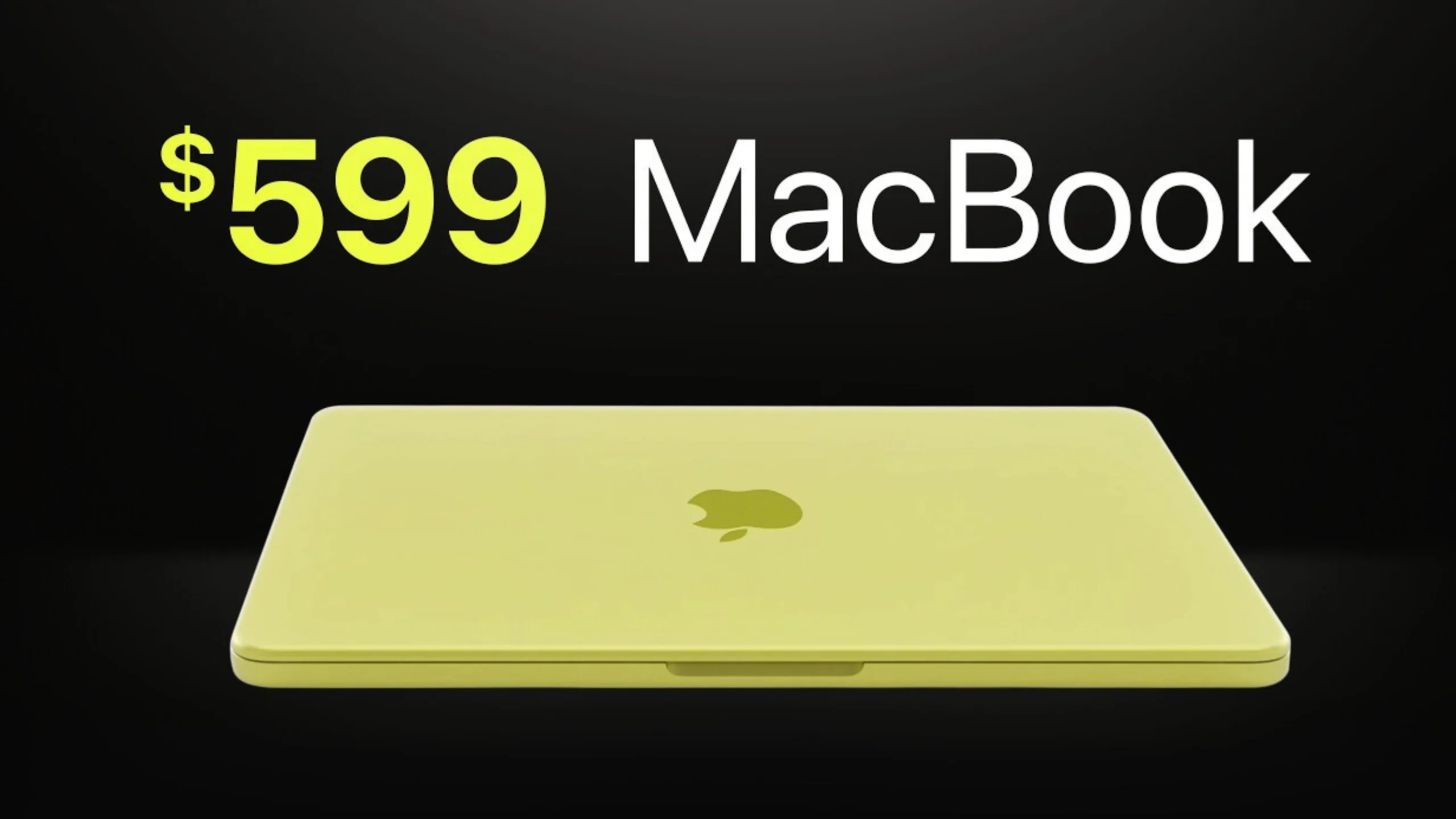
Apple’s most affordable laptop ever uses an iPhone chip, has no backlit keyboard, and costs $599. It is also, genuinely, a remarkable computer for most people.
Apple has never shipped a laptop at $599. The MacBook Neo, announced March 4 and released March 11, 2026, changes that. It’s the cheapest Mac ever. It’s the first to use an A-series iPhone chip, not an M-series chip. Plus, it’s the first MacBook in four years without a notch on the display. It is also the most repairable Apple laptop in 14 years, according to iFixit.
The question is not whether this is cheap for Apple. It is. Is the trade-off for the $599 price a good deal? This question matters for everyday users, students, and those switching from Windows. They want to try macOS but don’t want to spend over a thousand dollars.
Yes, based on the full spec sheet and Apple’s benchmarks. However, there are important caveats that depend on your needs.
Full Specifications
| Specification | MacBook Neo (2026) |
| Released | March 11, 2026 |
| Chip | Apple A18 Pro — 6-core CPU (2 performance + 4 efficiency), 5-core GPU, 16-core Neural Engine |
| RAM | 8GB unified memory — not configurable or upgradeable |
| Storage | 256GB or 512GB NVMe SSD — not upgradeable |
| Display | 13-inch Liquid Retina, 2408 x 1506 (218 ppi), 500 nits brightness, 1 billion colors |
| Bezels | Notchless — uniform iPad-style bezels, no notch |
| Battery | Up to 16 hours wireless web / up to 11 hours video streaming (Apple claim) |
| Ports | 2x USB-C (one USB 3/10Gbps + DisplayPort 1.4; one USB 2.0), 3.5mm headphone jack |
| Charging | USB-C — no MagSafe |
| Wireless | Wi-Fi 6E (802.11ax), Bluetooth 6.0 |
| Camera | 1080p FaceTime HD, dual microphone array |
| Audio | Two side-firing speakers with Spatial Audio |
| Keyboard | Magic Keyboard — non-backlit on 256GB, Touch ID on 512GB only |
| Weight | 2.7 lbs / 1.23 kg |
| Colors | Silver, Blush, Citrus, Indigo |
| Starting price (US) | $599 / $499 for students |
| OS | macOS Tahoe 26.3 |
Design and Display — Better Than You’d Expect at This Price
The MacBook Neo has the same aluminum chassis design as the MacBook Air. It comes in four colors: Silver, Blush, Citrus, and Indigo. Each color has a matching keyboard and wallpaper. At 2.7 lbs (1.23 kg) it weighs the same as the 13-inch MacBook Air M4.
The notchless display is a genuine win. The 13-inch Liquid Retina display has sleek iPad-style bezels. It looks cleaner than the notched MacBook Air. The resolution is 2408 x 1506 at 218 ppi, brightness peaks at 500 nits, and it supports 1 billion colours. This is not a budget display — it is the same quality tier as the MacBook Air panel, just without the notch.
What the design does not include: a backlit keyboard on the 256GB base model. This is the most immediately noticeable cost-saving measure. If you type in low light often, you can get the 512GB model with Touch ID and backlit keys. Or, you can find a way to adjust. Touch ID only comes on the 512GB configuration, which starts at a higher price. For students on the $499 education price, the lack of Touch ID on the base model is a real inconvenience.
There is no MagSafe port. Both USB-C ports can charge devices. However, one supports USB 3 speeds (10Gbps with DisplayPort 1.4), while the other runs at USB 2 speeds. So, choose the right port for your peripherals. The headphone jack is on the left side near the front.
Performance — The A18 Pro Reality Check
The A18 Pro chip is the same processor that powered the iPhone 16 Pro in 2024. This is the first time Apple has used an A-series iPhone chip in a Mac. This brings up an important question: is it slower than the M-series chips in the MacBook Air?
The short answer is: yes, but not in ways most users will notice day-to-day.
The A18 Pro’s performance is similar to the M3 in single-core tests and behind the M4 Air in multi-core tests. It has 6 CPU cores, while the M4 has 10. The A18 Pro handles everyday tasks like web browsing and document editing with ease.
Apple’s MacBook Neo is up to 50% faster for daily tasks and 3 times faster for AI workloads. The 16-core Neural Engine handles tasks like photo cleanup and message prioritization right on the device.
The A18 Pro is slower than the M4 MacBook Air for tasks like video editing and running simulations. It is not ideal for professional creative work, but suits other tasks.
| Performance reality:
The A18 Pro performs similarly to an M1 MacBook Air for everyday tasks. If you are doing everyday tasks, this distinction will never matter to you. If you are editing 4K video or running logic-heavy code, spend the extra money on an M4 Air. |
Battery Life — One of Its Best Features
Apple claims up to 16 hours of wireless web browsing and 11 hours of video streaming. Testing conducted in January 2026 used the 8GB/256GB configuration. Most users can expect real-world battery life of 12 to 14 hours. This supports typical activities like web browsing, document editing, emailing, and video watching. So, you can use it all day without needing a charger.
The A18 Pro’s efficiency cores do meaningful work here. The chip is designed for mobile devices that need long battery life. This optimization also benefits the MacBook Neo. This is one area where the A18 Pro’s mobile lineage is an advantage rather than a limitation.
The Repairability Story — Genuinely Significant
iFixit’s teardown identified the MacBook Neo as Apple’s most repairable laptop in 14 years. The battery tray is screwed down rather than glued. The keyboard is screwed in. The ports and speakers are modular. Apple removed parts pairing restrictions on this model. This is important. Out-of-warranty repairs are cheaper. Replacement parts are easy to find. Plus, this machine lasts longer than a sealed MacBook Air.
For students buying a computer for four years, the MacBook Neo’s repairability is a real plus. This is better than the MacBook Air’s sealed design.
MacBook Neo vs MacBook Air — The Comparison That Matters
| Feature | MacBook Neo (2026) | MacBook Air M4 (2025) |
| Price | $599 — cheapest Mac ever | $1,099 — $500 more |
| Chip | Apple A18 Pro (iPhone chip) | Apple M4 (Mac chip) |
| CPU cores | 6-core (2P + 4E) | 10-core (4P + 6E) |
| RAM | 8GB only, fixed | 16GB standard, up to 32GB |
| Display | 13-inch, 500 nits, no notch | 13 or 15-inch, 500 nits, notch |
| MagSafe | No — USB-C charging only | Yes |
| Keyboard backlight | No backlight | Yes — backlit |
| Touch ID | 512GB config only | Yes on all configs |
| Wi-Fi | Wi-Fi 6E | Wi-Fi 7 |
| Repairability | Most repairable in 14 years (iFixit) | Standard sealed design |
| Student price | $499 | $899 |
| Weight | 2.7 lbs | 2.7 lbs (13-inch) |
The MacBook Air M4 is the better computer. That is not in dispute. But it costs $500 more. The question is whether the $500 difference is worth it for the specific use case.
For students: the $499 student price for the MacBook Neo versus $899 for the M4 Air is a $400 difference. The Neo manages all student tasks. It helps with writing, coding, browsing, video calls, and light creative work. The M4 Air handles everything plus professional-level workflows. If you are not doing professional-level work, the $400 stays in your pocket.
For everyday users: same logic applies. For web browsing, email, video streaming, and documents, the MacBook Neo is a great option. It also offers Apple Intelligence features. It is a correct purchase.
Buy the MacBook Air M4 if you:
-
Do video editing
-
Work in professional photography
-
Create music
-
Develop software at scale
-
Handle demanding workloads consistently
Who Should Buy the MacBook Neo
-
Students love the $499 education price. This device stands out in its price range. It offers great performance, all-day battery life, macOS, Apple Intelligence, and easy repair.
-
Windows users stepping into macOS for the first time: This is the safest way to join the Apple ecosystem ever.
-
Parents buying a computer for a child or teenager should look for a device that is:
-
Fast enough for schoolwork
-
Light enough to carry easily
-
Durable enough to withstand use
-
Affordable enough to replace if damaged
-
-
Light everyday users can do web browsing, email, video, documents, and social media. The Neo manages all these tasks without the high price of a MacBook Air.
-
Don’t buy it if you:
-
Edit video professionally
-
Run heavy code compilation
-
Need over 8GB RAM for large datasets
-
Want a backlit keyboard but don’t want to pay for the 512GB model
-
Wrapping Up
The MacBook Neo is what Apple said it was: a breakthrough price for a Mac. At $599, it is not a budget computer trying to be something it is not. This is a true Apple laptop. It features a Liquid Retina display, Apple Intelligence, and all-day battery life. Plus, it has an aluminum build. This is the lowest price Apple has ever offered for a laptop.
The A18 Pro is not the M4. The keyboard is not backlit on the base model. There is no MagSafe. If any of those things are dealbreakers for you, the MacBook Air M4 is the right computer. If none of them are, the MacBook Neo is one of the best value computers Apple has ever made.
- Display: 13-inch Liquid Retina, no notch, 500 nits excellent
- Performance: A18 Pro M1-level everyday performance, behind M4 on sustained loads
- Battery: Up to 16 hours claimed, genuine all-day coverage
- Design: Aluminium, 4 colours, 1.23 kg same build quality as the Air
- Price: $599 / $499 students — cheapest Mac ever
- Repairability: Most repairable Apple laptop in 14 years a genuine differentiator
- Skip it if: You need M4 performance, a backlit keyboard on the base model, or more than 8GB RAM
All specifications from Apple’s official MacBook Neo product page and Apple Support documentation. Benchmark comparison data from Macworld and EveryMac.com. Repairability assessment from iFixit. Prices as of March 2026 launch.
Read Also:
How to Share Real-Time Location in Google Messages (2026)
Best 10 Job Portals for Freshers in 2026
20 Highest Paying Companies Hiring Freshers in India (2026)
Job Notification Join us on Telegram: Click here
Job Notification Join us on WhatsApp: Click here